[Site Name]
[domain_name]
(999) 999-9999
[address1]
[address2]
[City, State Zip]
The System Dashboard
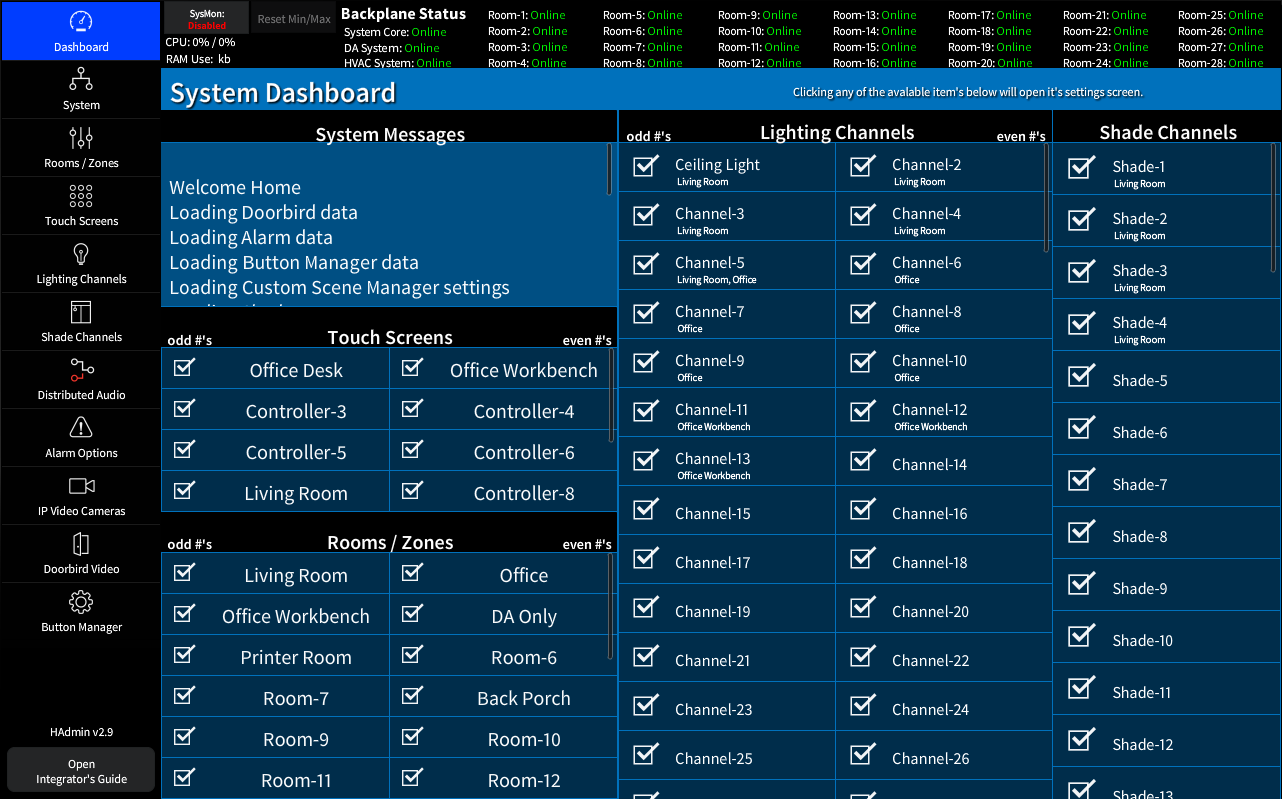
The System Page shows the status of major system channels, Touch Screens, Rooms, Lighting and Shades.
The Check mark indicates that the file was loaded during boot.
Clicking any of the line items will open its configuration page.
The System Status Header

The System Status header is available on all HAdmin Screens and shows the current status of all system backplane communication allowing for simple debugging of network and program communications. Clicking any one of the status area will force a refresh of that system backplane communication.
The SysMon button will toggle Crestron's internal monitor allowing you to see CPU and Memory loads.
(NOTE: This system updates at timed intervals)