[Site Name]
[domain_name]
(999) 999-9999
[address1]
[address2]
[City, State Zip]
Distributed Audio
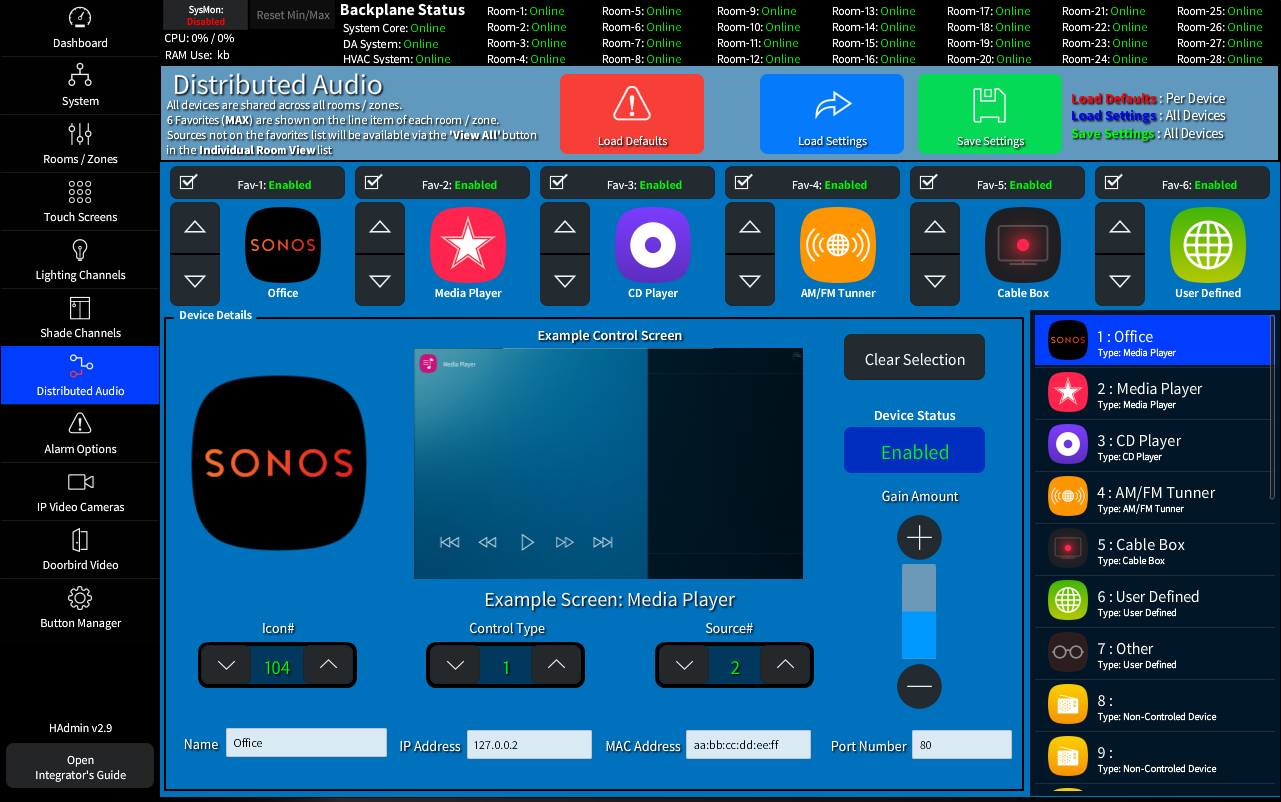
The Distributed Audio page allow you to configure up to 24 shared devices.
6 of these devices can be assigned to quick access favorites with a 'View All' button that becomes available on the user Touch Screen when there are 7 or more sources configured.
Note: There are several built in device control screen type and more can be added if needed,
See: The Interface Project Guide for full details on adding custom control screens.
The Favorites Assignment Bar

You can assign up to 6 of the configured devices as 'Favorites' that will offer quick access to them on the user touch panels.
Device Settings
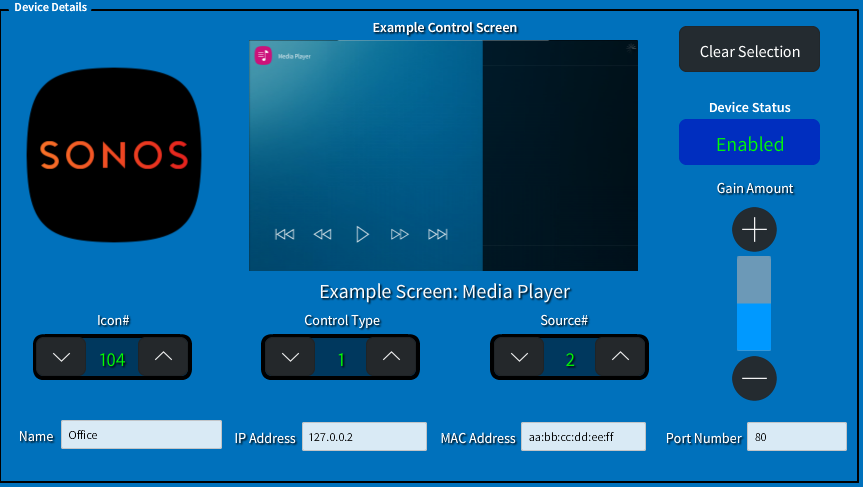
The Base settings allow you to set the Default options for the channel.
- Select an icon to display on the User Touch Screens
- The Control Type defines the functionality of of the device and sets the displayed control screen.
- The Source ID# is an analog signal that will populate to the Amp when this device is selected.
- The Gain amount is represented as a Singed value so you can set positive or negative gain. Scalers should be used in the driver pack to integrate the amplifiers expected values.